
Reviews
Description
Game Introduction
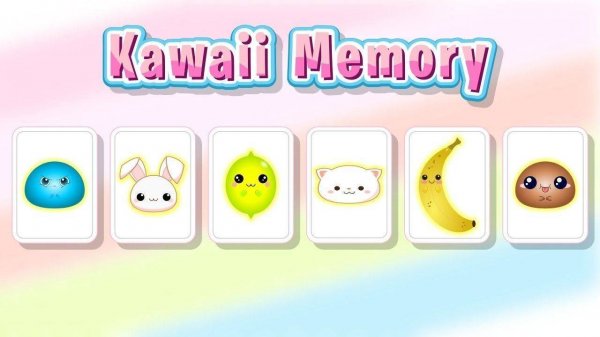
Kawaii Memory is a delightful card matching puzzle game that invites players to test and improve their memory in a cheerful, visually charming setting. The game presents a board of face-down tiles, each hiding an adorable image of a fruit, slime, or animal. The core objective is to flip two cards at a time and find all matching pairs. As players progress, the grid size increases, offering a gentle challenge that helps sharpen memory and pattern recognition skills. Designed for players of all ages, Kawaii Memory provides a safe and positive environment for both fun and cognitive exercise.
How to Play
Playing Kawaii Memory is simple and intuitive. Start by tapping or clicking any card to flip it and reveal the picture. Then, choose another card to flip. If the two images match, the cards stay face-up. If they do not match, they flip back over. Continue this process until all pairs are found. The game offers multiple difficulty levels and grid sizes, allowing players to adjust the challenge to their preference. Each session is a fresh test of memory, making it easy to play for a few minutes or longer.
Game Features
Features include adorable kawaii-themed cards with safe, colorful visuals. Multiple difficulty levels keep the game engaging for all skill levels. Gameplay is designed to boost brain functions like memory, focus, and pattern recognition. The interface is intuitive and family-friendly, making it accessible for young children and adults alike. The game may include various grid sizes and a timer or score system to track progress, though specific details are not confirmed.
Tips for Success
To succeed in Kawaii Memory, practice regularly to improve your memory and pattern recognition. Start with smaller grid sizes to build confidence before moving to larger challenges. Try to remember the location of cards you have flipped, even if they don't match immediately. Take your time and avoid rushing, as careful observation is key. Playing consistently can help sharpen your focus and make finding pairs easier over time.
✅ Compatibility & Testing
All games on this site are manually tested on: • Desktop (Windows 11, macOS Ventura) • Mobile (iPhone 14, Samsung Galaxy S23) • Tablet (iPad Pro, Android tablet) 📌 Supported browsers: Chrome, Safari, Edge, Firefox (latest versions) 📌 Not supported: Internet Explorer, older browser versions
Related Games
Solitaire Farm Seasons 2: Card Puzzle Game - Puzzle Game
Clean solitaire puzzles with a relaxing farm theme. Great for casual play and short breaks.

Spider and Klondike Solitaire
Clean design and smooth gameplay. Great for short breaks or longer sessions.

Birthday Card Design Studio
Easy to use with no watermarks. Great for making personalized cards for any birthday celebration.
Solitaire TriPeaks Harvest: Farm Puzzle Game
A calm mix of solitaire and gardening. Levels are varied and the farm grows nicely.

Best Classic Solitaire: Klondike Card Game Puzzle Game
Smooth and authentic Klondike gameplay. Clean design with helpful hints. Perfect for quick relaxation.
Solitaire Classic Klondike Puzzle
Clean design and smooth gameplay. Perfect for relaxing breaks or quick mental exercise.
Farm Mahjong Solitaire Puzzle
Peaceful farm setting with smart puzzles. Great for relaxing breaks.
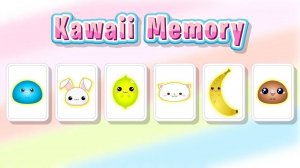
Kawaii Memory: Cute Card Matching Puzzle
Charming visuals and simple gameplay. A nice way to practice memory skills during breaks.
Autumn Solitaire TriPeaks: Classic Card Puzzle Game - Puzzle Game
Clean design and smooth gameplay. Great for short breaks. The autumn theme adds a nice touch.
Solitaire Swift: Card Stacking Puzzle
Clean design and smooth gameplay. Great for short breaks or longer sessions.